Event
Event 
Event is a collection of Actions that enables to inject logic, interact with peripherals via signals. Events have scope : Step and Job.
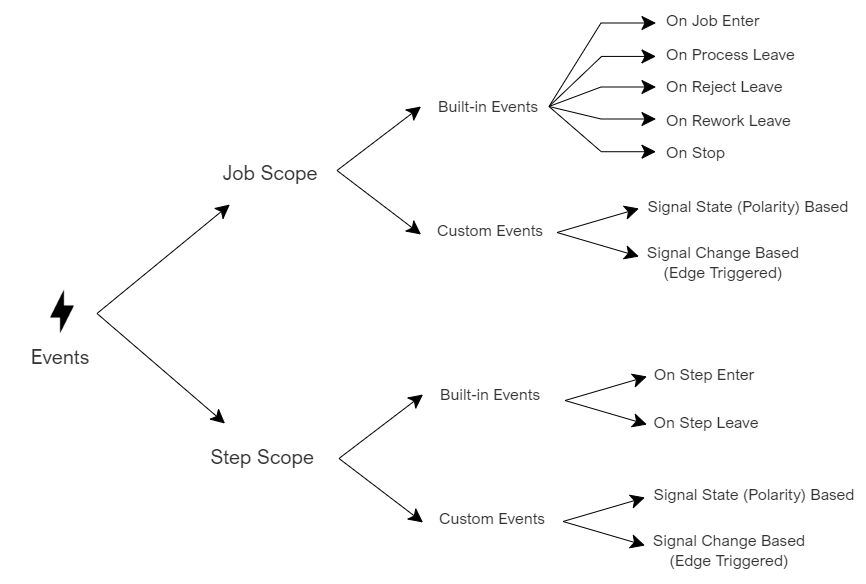
Event scope and classification
Event Types according to scope
|
Type |
Description |
|
Job Scoped |
This type of events lives with the Job. They may be triggered at any time while Job is in execution. |
|
Step Scoped |
This type of events lives with the Step. They may be triggered at any time while Step is in active. |
Event Types - Built in / Custom
|
Event Type |
Description |
|
Built-in Events |
They have a built-in edge trigger mechanism as the names suggest. Built-in events provide a single Execution List where user can insert actions to be executed when the built-in event is triggered. Job scoped Built-in Events:
Step scoped Built-in Events:
|
|
Custom Events |
They are created/designed by the user and triggered by a selected signal together with an activation. Signal may be a Boolean Tag or a Command returning a Boolean value. Activation defines the behavior for execution. There are two Activation types:
Thus, for each activation type, two Execution Lists are provided to cover both sides of the Activation. |
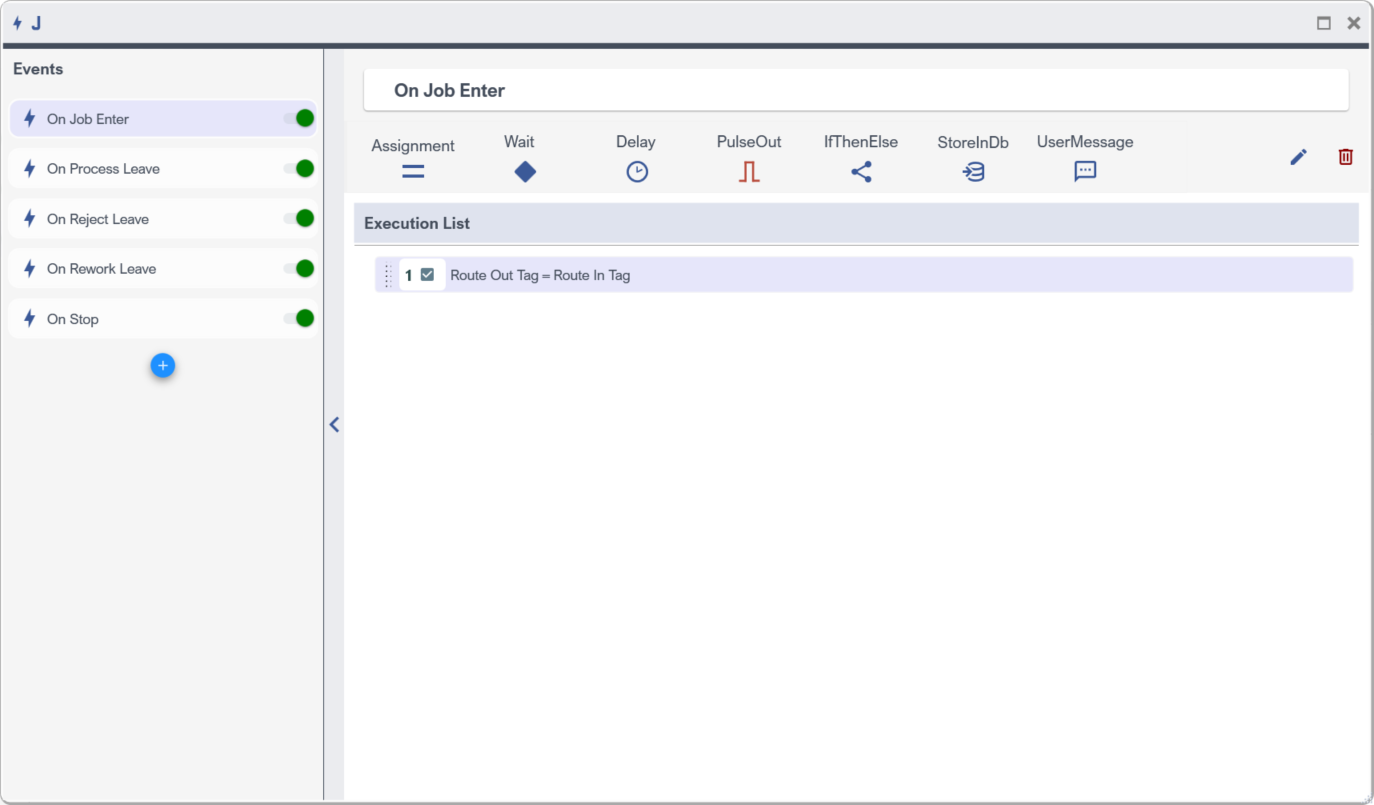
An example Built-in Event in Job Scoped Events

An example Custom Event in Step Scoped Events
Add-Edit-Delete an Event
Events are listed in the Events List. At the bottom of the list,  Button is provided to add an Event.
|
Button |
Description |
|
|
Edit Event name |
|
|
Enable / Disable Event. When disabled, it will not be executed. |
|
|
Delete Event |



Execution Lists
|
Activation Type |
Execution List and behavior |
|
On Signal State (Polarity Based) |
Execution List - While Signal is True While Signal State is True, List is executed repeatedly. When signal changes, execution of this list is terminated immediately. |
|
Execution List - While Signal is False While Signal State is False, List is executed repeatedly. When signal changes, execution of this list is terminated immediately. |
|
|
On Signal Changed (Edge Triggered) |
Execution List - On Rise As soon as signal state becomes True, List execution is started. Execution will end when all the instructions in the list is completed. |
|
Execution List - On Fall As soon as signal state becomes False, List execution is started. Execution will end when all the instructions in the list is completed. |
Protected Execution
For Edge triggered Events, retriggering issue ( while the list is is in execution, signal may change so that it causes another trigger for the list) is handled by the Protected Execution checkbox.
When Checked, a trigger that will occur in the activation signal while the list is being processed is ignored. And another list execution instance will not be created.
When Unchecked, a trigger that will occur in the activation signal while the list is being processed, will cause a creation and launch of an execution of another list execution instance.