Hand Trigger
Settings Hand Trigger
|
|
Hardware Prerequisite Hand Trigger feature requires Intel RealSense™ Depth Camera hardware, recommended and tested for model D435f.
Intel RealSense™ D435f Depth Camera Connect to a USB 3.0 or better port directly on PC |

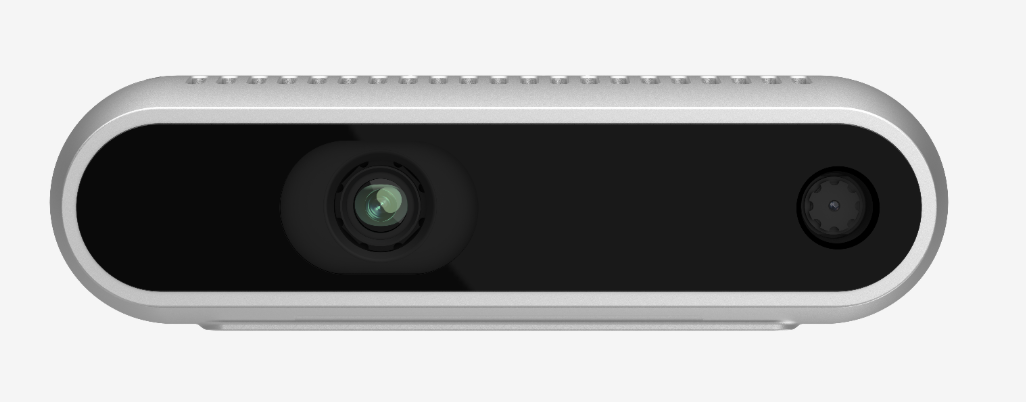
Hand Trigger provides an alternative to User Button in Step using Intel RealSense™ D435f Depth Camera.
There are 4 Hand Triggers. Each Hand Trigger is associated with a region, and a trigger signal.
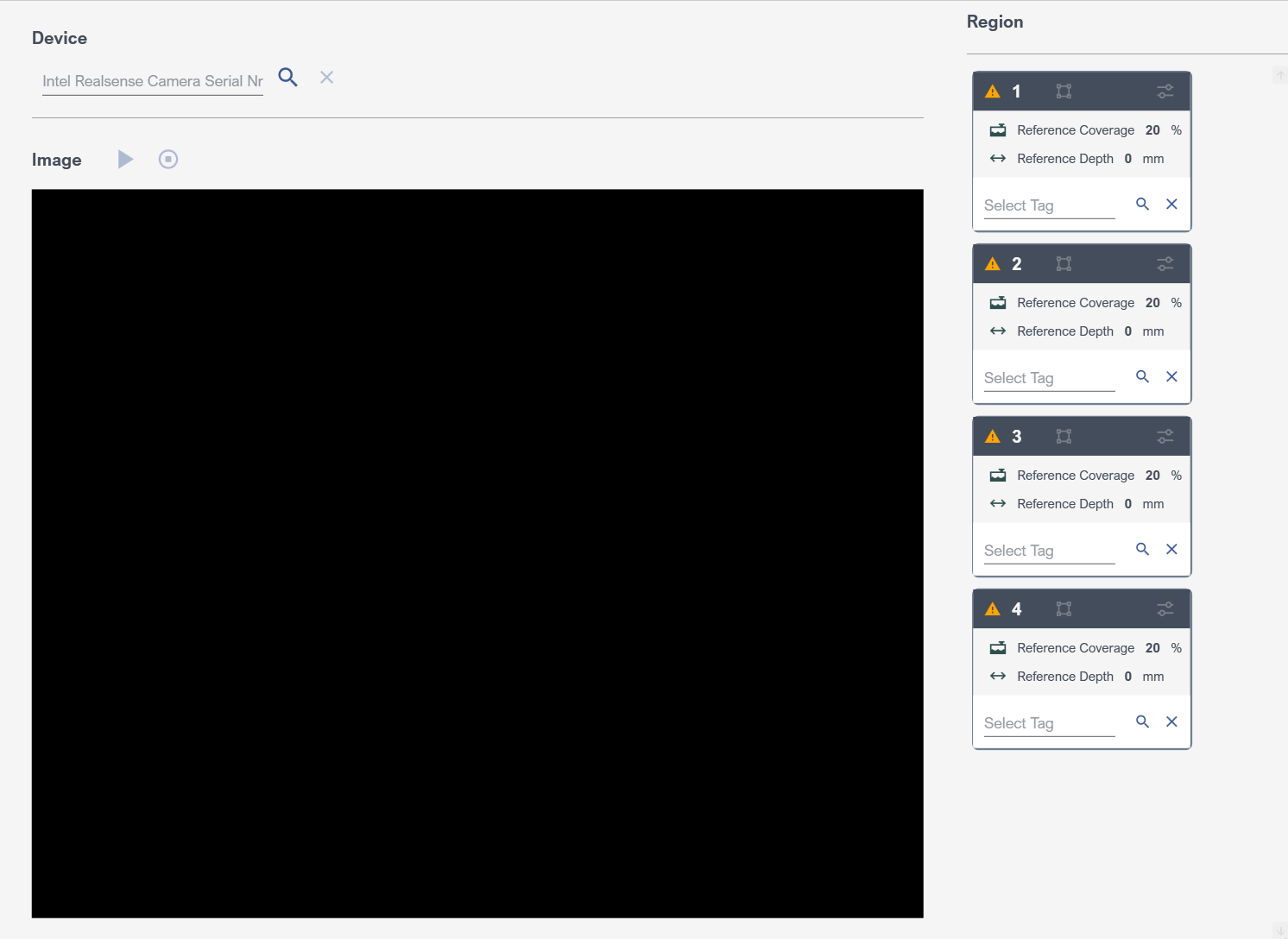
Settings Hand Trigger
Device
First, the Device should be set. This is necessary both to have live image and configure regions.
|
Toolbar Button |
Description |
|
|
Lists connected cameras of type D435 for setting the device |
|
|
Reset the selected device, so no device is set. |

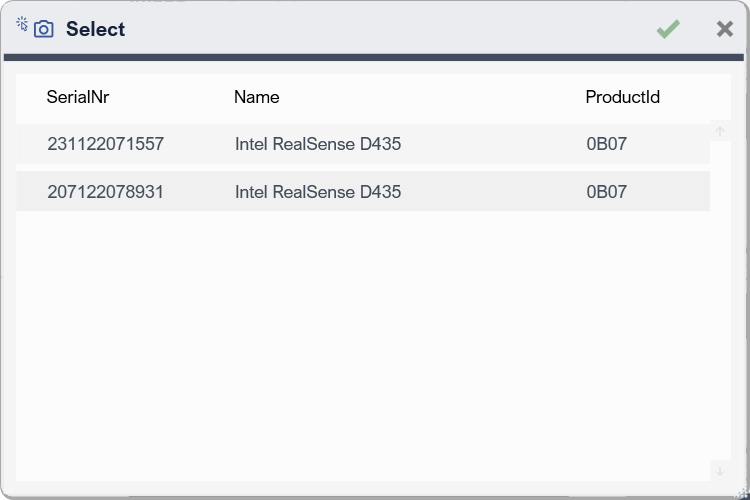
Upon  button, connected cameras of type D435 are listed for setting the Device
Image
Displays live image and overlay Regions on image.
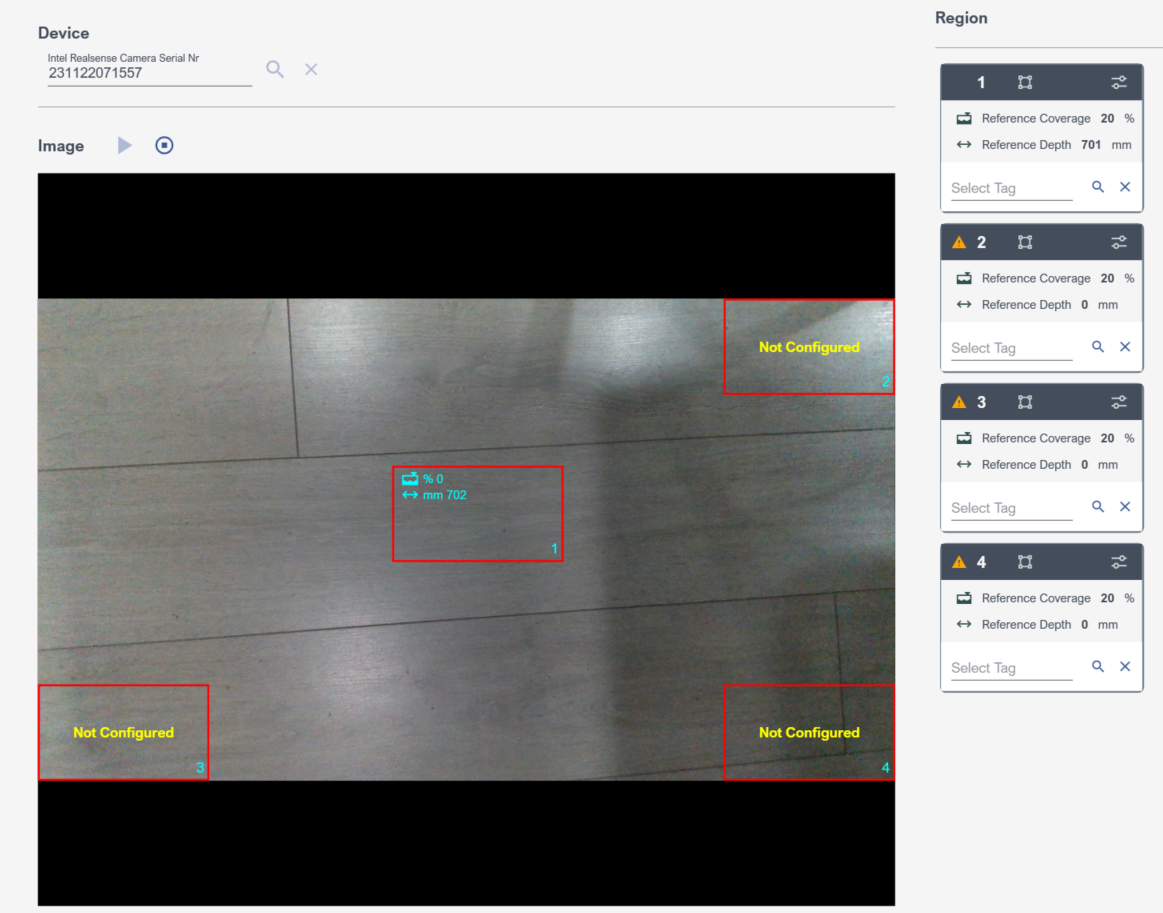
|
Toolbar Button |
Description |
|
|
Starts live image - May take few seconds time - |
|
|
Stops live image |


Region
Region cards allows one to configure region and its trigger.
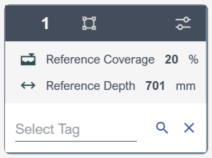
Region Advanced Settings
|
Toolbar Indicator |
Description |
|
|
Indicator telling that the region is not configured |
|
|
Select region Button for Move/Resize. Upon confirmation, region background data will be identified, and will form the basis for Hand detection calculations. |
|
|
Advanced Parameters Button for the region |
|
|
Select a Tag for trigger signal exposing detected Hand move |
|
|
Clear Tag, in this case Hand move will not trigger any signal |


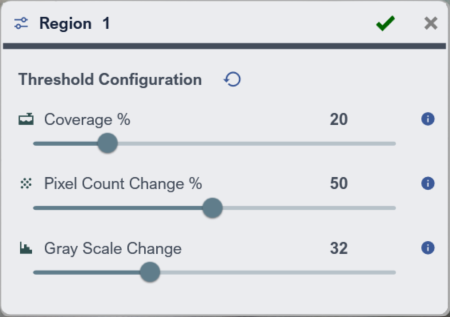
Region Advanced Settings
|
Toolbar Indicator |
Description |
|
|
Reset To Default values |
|
|
Coverage % Adjust the threshold to decide when the selected region should be treated as filled. A lower threshold makes the system more sensitive to small movements or changes. A higher threshold requires more coverage before the region is considered filled. |
|
|
Pixel Count Change % Adjust the threshold to define when an object is considered “detected” in terms of its area. Lower thresholds responds to smaller changes; higher thresholds detect bigger changes. |
|
|
Gray Scale Change Adjust the threshold to respond gray scale tones of the object. Lower thresholds responds to smaller changes. Higher thresholds detect bigger changes. |


