Barcode Print Recipe
Barcode Print Recipe
Barcode Print Recipe is associated with Barcode Print Button  . Let you select a Printer and a Printer Design File, and configure its variable fields.

Located within Job Menu items
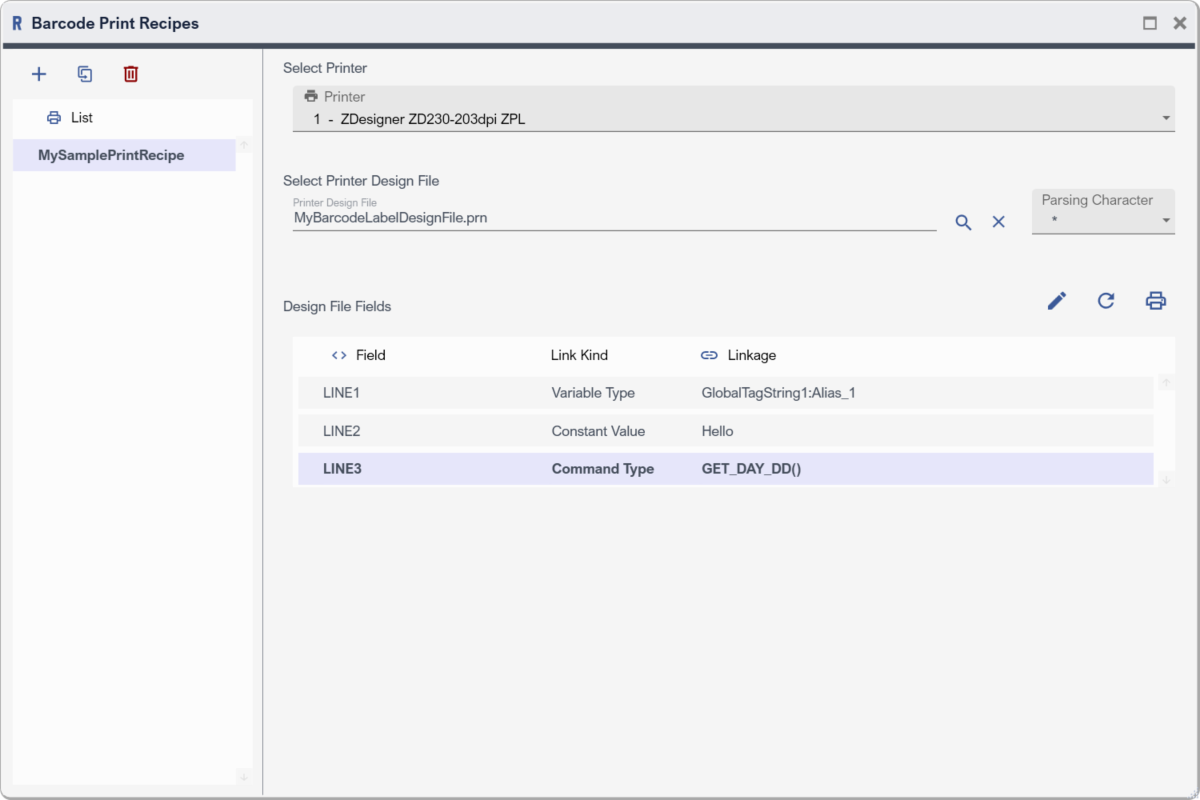
Example Barcode Print Recipe
Recipe List Panel
List Panel lets one manage Recipes.
|
Toolbar Button |
Description |
|
|
Add Recipe to the List |
|
|
Duplicate selected item |
|
|
Delete selected item |



Printer Design File
It is .prn file where the variable content is enclosed by parsing character. See Appendix > How To's > Create Printer Design File for details on how to create it.
Recipe Configuration
|
Property |
Remark |
|
Select Printer |
As name suggest, Select printer |
|
Select Printer Design File |
Select Printer Design File |
|
Select Parsing Char |
Select Parsing character in the Design File to address the Fields that will be replaced in print-time |
|
Design File Fields |
|
|
Field |
Denotes the found field upon parsing the Printer Design File with respect to the Parsing Character |
|
Link Kind |
Denotes how the found field is related to a text |
|
Linkage |
Denotes the value to replace found field |