Barcode Scan Recipe
Barcode Scan Recipe
Offers various options to handle and validate content of a Barcode Scan Box  .
.

Located within Job Menu items
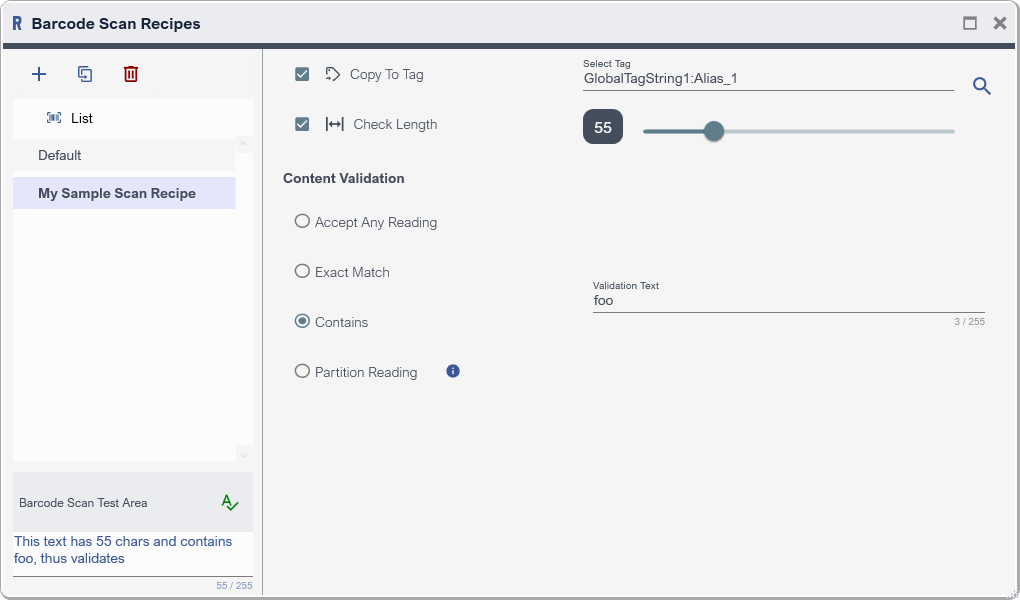
Example Barcode Scan Recipe
Recipe List Panel
List Panel lets one manage Recipes.
|
Toolbar Button |
Description |
|
|
Add Recipe to the List |
|
|
Duplicate selected item |
|
|
Delete selected item |



Barcode Scan Test Area
Enter a text and check validation with respect to the selected Recipe in the List Panel.
|
Button |
Description |
|
|
Check validation of a test text |

Recipe Configuration
|
Property |
Remark |
|
Copy Tag |
As name suggest, Copy the entire text to a Tag in run-time |
|
Check Length |
Check if number of characters - blank character included - in the entire text is equal to the specified length, otherwise not validated. |
|
Content Validation |
|
|
Accept Any Reading |
Accept any Barcode Scan |
|
Exact Match |
Check if Barcode Scan text equals to the specified text |
|
Contains |
Check if Barcode Scan text is contains the specified text |
|
Partition Reading |
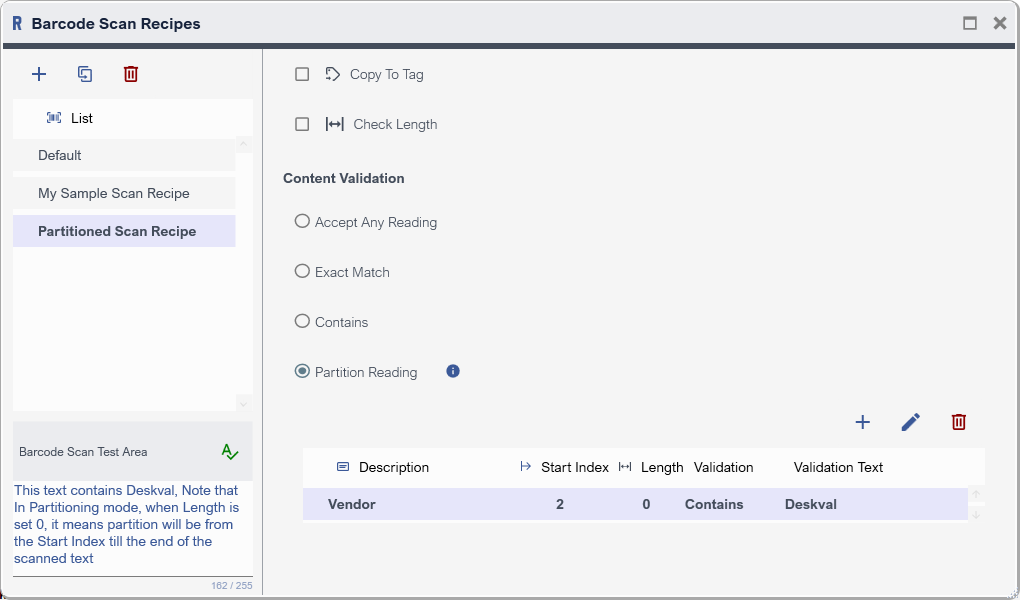
Partition the Barcode Scan text into segments, specify validation rule for each segment. Checks each segment , if all are validated then Content is validated otherwise not validated. |
|
Toolbar Button |
Description |
|
|
Add Partition |
|
|
Edit selected item |
|
|
Delete selected item |