S7 Comms
S7 Communications
Deskval Workbench S7 Communications allows you to exchange predefined data with Siemens S7 type Plc. S7 Communications is compatible with S7-200, S7300, S7-400, S7-200, S7-1500.
What is exchanged with Deskval Workbench and S7 Plc
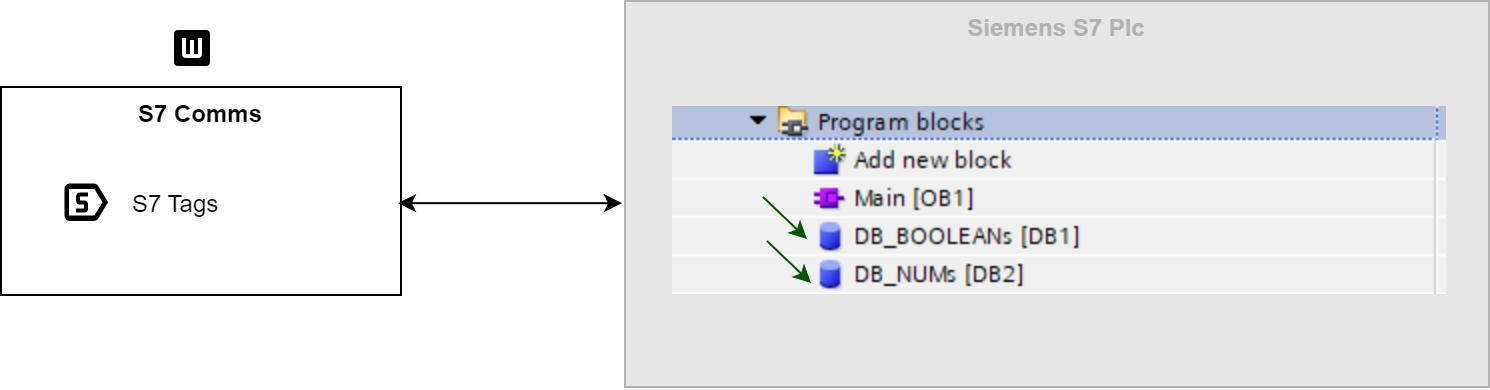
Data exchange in S7 Communications
What is exchanged with Deskval Workbench and S7 Plc
Deskval Workbench exchanges his S7 Tags with predefined datablocks in the S7 Plc program.
In order for this exchange, S7 Plc program should have 2 Datablocks that are related to Boolean and Num Tags.
Note that, as the exchange mechanism uses the datablock numbers and array sizes, watch for array sizes and datablock numbers.


S7 Tags 
|
Deskval Workbench Ads Client Tags |
Description |
||||||
|
|
|
||||||
|
Output |
|

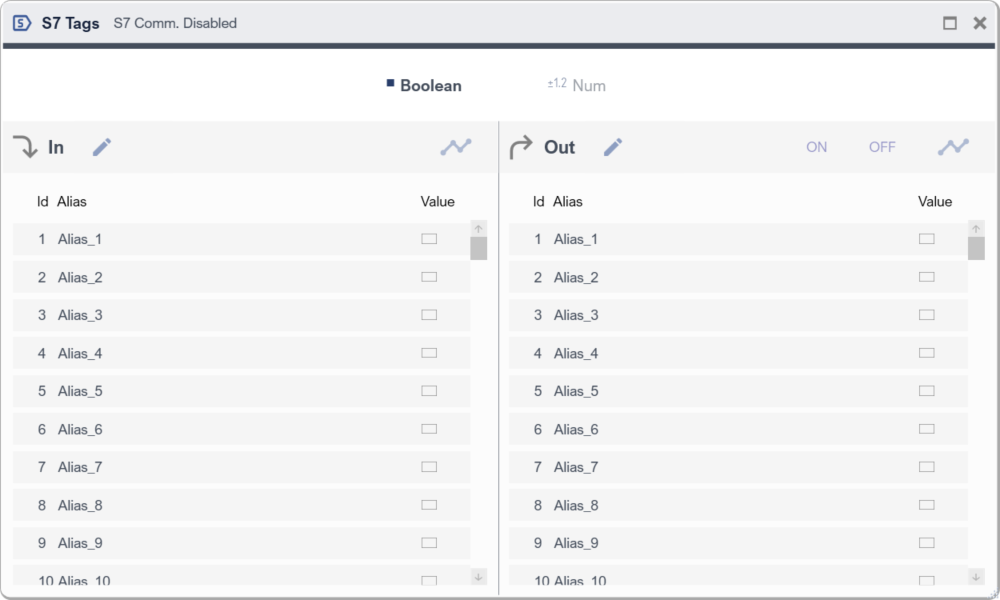
S7 Tags - presented in tabbed structure
Setting up an S7 Communication
|
|
Check our YouTube channel for explanatory videos https://www.youtube.com/@Deskval |

In order to setup S7 communication, there are things to do, both in Deskval Workbench and S7 Plc side.
- Setting Up Deskval Workbench
- Go to Settings > S7
- Enter Ip Address, Select Cpu type, Fill the fields Rack, Slot, Bool Datablock Nr, Double Block Nr
- Put Enable tick
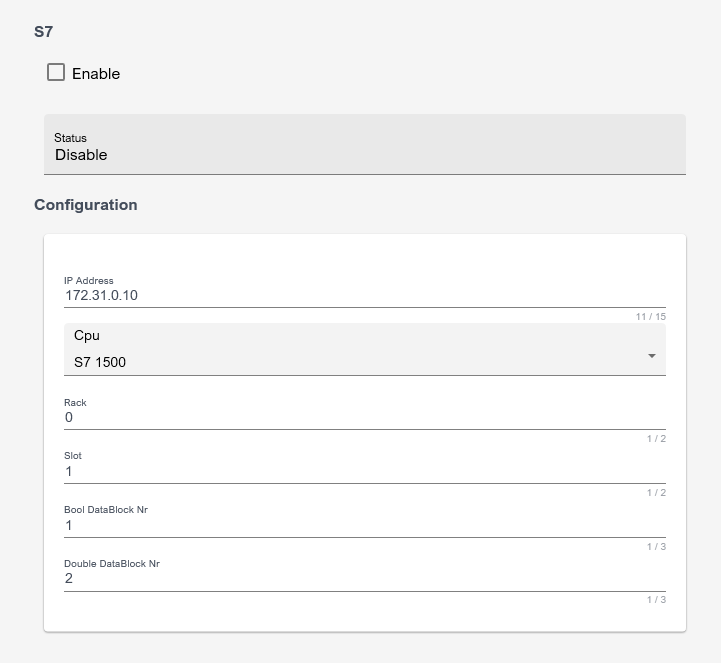
Example of Deskval Workbench S7 Settings
- Setting Up S7 Plc Side
- S7 Plc program should have 2 Datablocks that are related to Boolean and Num (Double typed) Tags.
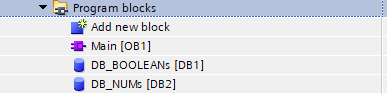
- Make sure, In the attributes section, "Optimized block access" item is unchecked both for DB_BOOLEANs and DB_NUMs
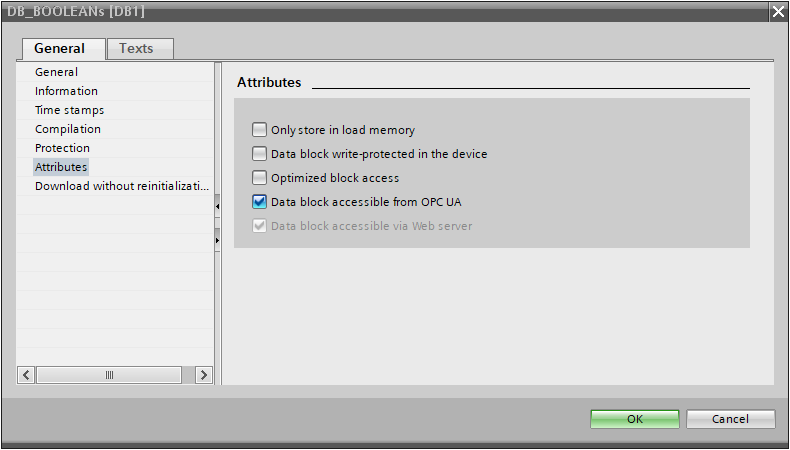
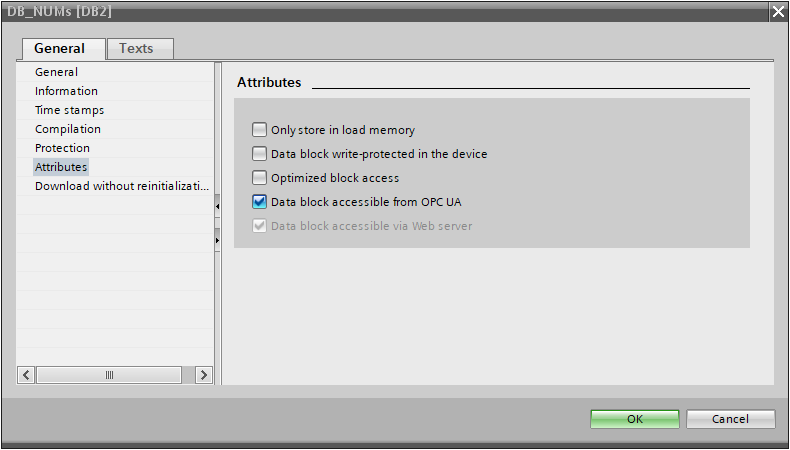
Make sure "Optimized block access" item is unchecked
- Make sure, In the Protection&Security section, "Permit access PUTGET communications from remote partner" is checked and "Full access" is checked
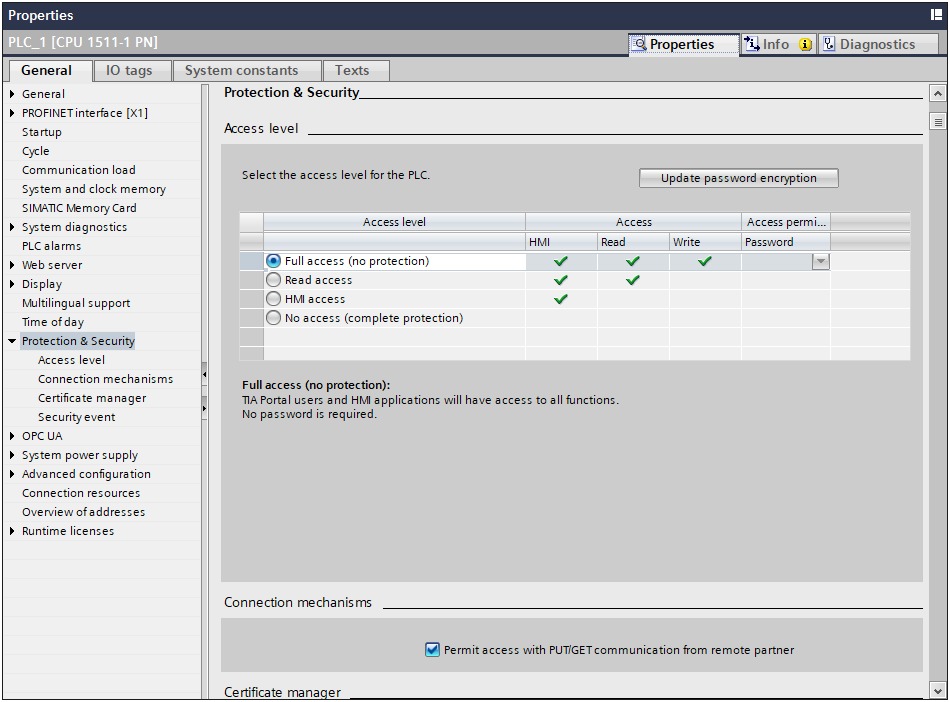
Make sure "Permit access PUTGET communications from remote partner" item and is "Full access" checked
Deskval Workbench - S7 Plc Communication Example
PLC sample program that communicate with Deskval Workbench via S7 is provided for your convenience:
|
Plc |
IDE |
Remark |
|
S7-1500 |
Tia Portal |
Please visit https://github.com/Deskval |